Why Lodging Reimbursement Gets Denied in DTS
DTS lodging reimbursements have gotten complicated with all the cryptic rejection codes and two-word denial remarks flying around. Your voucher sits there in rejected status for three weeks, and the explanation you get back is something like “documentation insufficient” — which tells you absolutely nothing. As someone who has watched travel pay evaporate into the system more than once, I learned everything there is to know about why these denials happen and how to actually fix them. Today, I will share it all with you.
Most denials are fixable. DTS just won’t tell you how in plain English.
Four triggers account for roughly 90 percent of lodging rejections. Once you know what to look for, they’re actually straightforward:
- Rate overage. Your hotel ran $185 per night. Local per diem is $150. Without an Actual Expense Authorization (AEA) on file, DTS auto-rejects everything above that cap — every dollar, every time.
- Missing or non-itemized receipts. You uploaded a credit card statement instead of the hotel folio. DTS doesn’t do summary documents. It wants the itemized receipt — nightly rates, taxes, and fees broken out line by line.
- Property not on the approved list. You booked a boutique hotel that wasn’t sitting in the Defense Travel Management Office (DTMO) database when you checked in. Off-list properties get denied regardless of rate.
- Missing AO authorization. Your Approving Official never signed off on your travel orders, or the authorization was incomplete. No signature, no reimbursement. Full stop.
Check Your Voucher Status and Denial Reason First
Probably should have opened with this section, honestly — it eliminates about 80 percent of the back-and-forth before it starts.
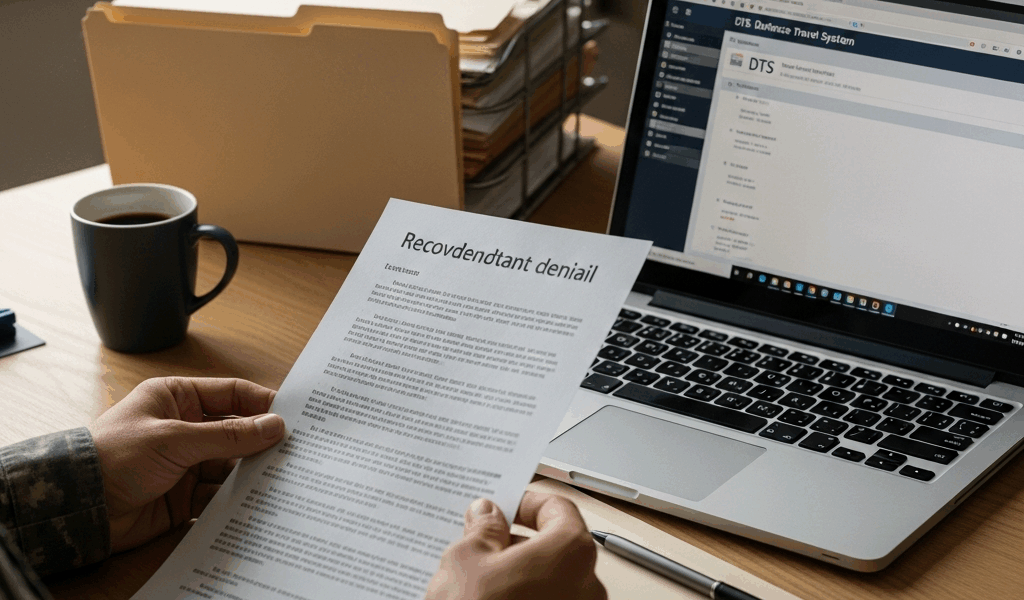
Log into DTS. Pull up the rejected voucher. Click the Audit Trail tab. That’s where the real explanation lives, buried under system timestamps and Finance comments. Read every entry starting from the most recent rejection and working backward. You’re hunting for remarks from Finance, your Approving Official, or the system itself. Language like “rate exceeds approved amount” or “documentation insufficient” is frustrating — but it’s the only official record of why your claim got kicked back.
Screenshot the Audit Trail right now. You’ll need it later.
Then check the Remarks section on the main voucher screen. Sometimes a second layer of notes appears there that actually clarifies what the Audit Trail is trying to say. I once caught a remark that read “missing receipt — contact property for duplicate.” Saved me three rounds of useless appeals and probably two weeks of waiting.
The mistake I see constantly? People panic, assume DTS is broken, and hit resubmit hoping the system just had a bad day. It didn’t. The same problem is waiting on the other side. Don’t make my mistake — read the denial reason before you touch anything else.
How to Fix the Most Common Denial Types
Rate Overage — The Most Expensive Mistake
So you booked a hotel in downtown San Francisco. $210 per night. Local per diem sits at $165. You’re $45 over every single night, and DTS flagged all of it. You need an Actual Expense Authorization — and you need to ask for one now, not next week.
Email your Approving Official immediately. Structure it like this:
“I am requesting an Actual Expense Authorization for lodging during my TDY to [location], [dates]. The approved lodging per diem rate is $[X], but the only available hotel meeting mission requirements was $[Y] per night. The property is located [reason — downtown, proximity to base, near meeting venue]. This expense was necessary to accomplish the TDY mission and was not due to personal preference or failure to plan ahead. I have attached my hotel quote and a location map for your review.”
Send this before travel if at all possible. Your AO can submit a retroactive AEA through DTS after the fact, but getting ahead of it is always cleaner. Once the AEA clears, the system allows the overage. Then resubmit your voucher.
If your AO won’t approve and the rate genuinely was unavoidable, document everything — save the email chain, screenshot hotel availability for your exact travel dates showing nothing at or below per diem. That evidence matters at escalation.
Missing or Non-Itemized Receipts
But what is an itemized hotel folio? In essence, it’s the actual receipt from the property showing each night’s rate, taxes, and fees listed separately per day. But it’s much more than that — it’s the only document DTS will actually accept. Not a credit card charge. Not a booking confirmation email. The folio.
Call the hotel’s front desk directly. Ask for Accounting or the Front Office Manager. Say exactly this: “I need an itemized lodging receipt for my stay showing nightly rates and taxes separated for each night — this is for government reimbursement.” Most hotels keep these on file and will email within 24 hours. Some charge $5 to $15 for a duplicate — that’s normal, you pay it out of pocket, and it’s worth it.
Upload the itemized folio to your voucher. Drop a brief note in the Remarks field: “Added itemized receipt per DTS requirement.” Resubmit. That’s usually the end of it.
If the hotel is closed or goes dark on you, take that to your Finance office with a written statement explaining your good-faith effort to get the receipt. They have discretion to approve without full documentation when you can demonstrate you actually tried.
Property Not on Approved List
Your hotel doesn’t appear in the DTMO database. This one’s harder to fix retroactively — but not impossible.
First, verify it’s actually missing. Search by hotel name and city on the Defense Travel Management Office website directly. If it’s genuinely off the list and the hotel is legitimate — current business license, verifiable address, actual guests — your Approving Official can request an exception through Finance.
That request needs the hotel’s full legal name, street address, phone number, your justification for using it, and written confirmation it met your TDY requirements at the time. Expect 7 to 10 business days. Finance can backdate the approval when it comes through.
Missing AO Authorization
No amount of documentation fixes a lodging denial when your travel orders were never signed. Authorization has to come first — always.
Contact your AO directly. Ask them to pull up your orders in DTS and sign off. Confirm the status reads “Approved” before you resubmit anything. DTS cannot override missing authorization. It’s a hard requirement, not a soft one.
How to Escalate If Your AO Won’t Budge
You fixed the issue. Resubmitted. Got denied again — or your AO refuses to authorize a legitimate expense. That’s when escalation becomes the only path forward.
The chain runs: AO → RNCO (or equivalent civilian supervisor) → Finance Office → JAG, if the dollar amount clears your installation’s threshold and the denial appears to violate JTR policy.
Before you escalate anywhere, build your documentation package. Screenshot the full Audit Trail. Save every email. Write a one-page summary — TDY dates, original denial reason, what you corrected, why the second denial is wrong. Print physical copies. Bring them to every conversation.
Email the RNCO first. Keep it factual: “My TDY lodging reimbursement was denied on [date] for [reason]. I corrected the issue by [action] and resubmitted on [date]. The voucher was denied again on [date] for [new reason]. I’m requesting your assistance in understanding why this expense does not meet JTR requirements.”
Give the RNCO five business days. No response — or they side with Finance — escalate directly to the Finance office and request a written explanation citing specific JTR regulation numbers and policy sections. Make them put the reasoning on paper.
JAG involvement makes sense when the amount exceeds your installation’s threshold — typically $2,500 to $5,000, though that varies, so check locally — and you have a legitimate policy question about whether the denial violates the Joint Travel Regulations. Most JAG offices won’t take a weak case, but they’ll engage on a real one.
Realistic timeline: 15 to 30 days from escalation to resolution. Document everything at every step.
How to Prevent This From Happening on Your Next TDY
Pre-trip checklist. Four items. Five minutes. That’s what makes this process manageable for the rest of us who have real jobs outside of navigating DTS.
- Confirm your lodging is on the approved DTMO list before you book — not after.
- Get written AO approval if the rate exceeds local per diem. In writing. Before you check in.
- Save the itemized receipt daily during your stay. Don’t wait until checkout — hotels lose records.
- Verify your travel orders show “Approved” status in DTS before you leave the installation.
One denied voucher costs weeks of frustration, a dozen emails, and money you shouldn’t have to fight for. A five-minute review before departure costs nothing. So, without further ado — run the checklist before your next trip.



Leave a Reply