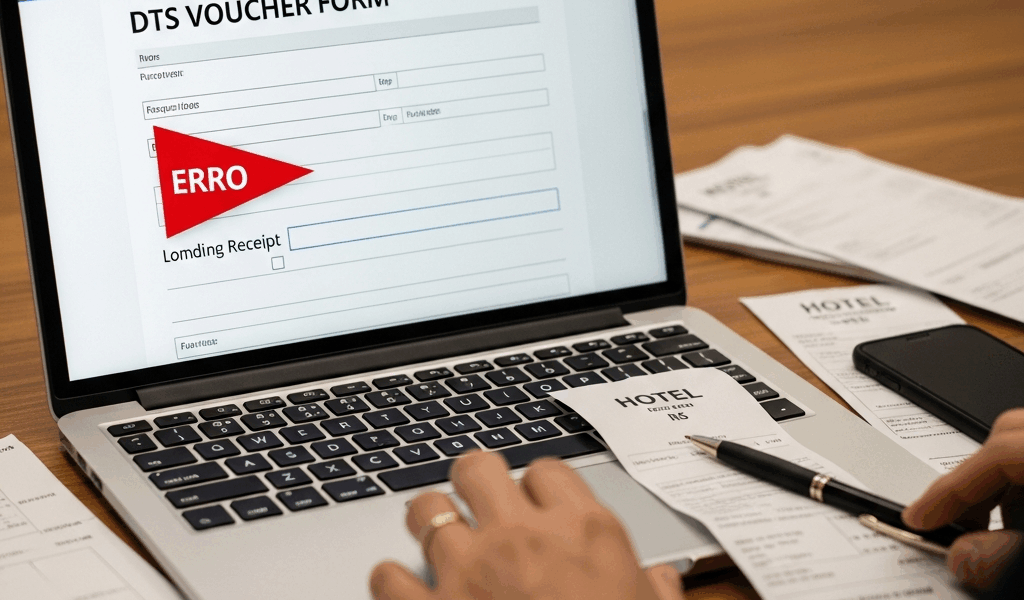
Why DTS Flags a Missing Lodging Receipt
Military travel reimbursement has gotten complicated with all the rejection emails and confusing error codes flying around. As someone who has processed dozens of DTS vouchers and watched good service members get burned by paperwork technicalities, I learned everything there is to know about the lodging receipt problem. Today, I will share it all with you.
But what is a DTS lodging receipt error? In essence, it’s the system refusing your document because it doesn’t meet a specific formatting standard. But it’s much more than that — it’s one of the single most common reasons military travel vouchers stall in review status, sometimes for weeks.
Here’s the thing DTS actually wants: an itemized folio. Not a credit card statement. Not a confirmation email. Not whatever generic “thanks for staying” printout the front desk hands you at 6 a.m. The system needs the nightly rate. The tax line. The exact dates. The property address. All of it — formatted in a way the document scanner can actually read and attach to your lodging line item.
Hotels mail folios late. Late checkout receipts print wrong. Some independent properties use formats that look nothing like what DTS expects. You get home, sit down at your desk to file the voucher, and suddenly nothing uploads. Your Authorizing Official can’t sign off. Your reimbursement just… sits there. Frozen. That’s what makes this particular issue so maddening to us military travelers — you stayed at the hotel, you paid the bill, and now you’re being asked to prove it with paperwork you don’t have. So, without further ado, let’s dive in.
Step 1: Contact the Hotel Before You Do Anything Else
Probably should have opened with this section, honestly. The fastest fix is a duplicate itemized folio straight from the property. Call — don’t email. Email disappears into inboxes and gets ignored for days. Phone calls get routed to someone with actual authority to solve your problem.
When you call, ask for the finance or accounting department. Not the front desk. Not the general manager. Finance. Tell them exactly what you need:
- An itemized folio for [your name]
- Showing nightly room rates, taxes, and fees as separate line items
- In PDF format if possible
- Covering your exact check-in and check-out dates
Most government-contract properties have this process dialed in. Marriott, Hilton, Choice Hotels — they’ve heard this request a thousand times. Same-day email is common. Independent properties move slower, but they’ll usually come through within 48 hours.
There’s a hard deadline here. Past the 30-day mark after checkout, hotels start purging folio data or claiming they can’t access it anymore. Don’t wait until after your voucher already bounces. Make this call the same week you get home — ideally the same day.
If the hotel genuinely cannot produce a duplicate receipt — system crash, property closure, whatever the reason — ask them to put that in writing on their letterhead. A signed letter explaining why the folio is unavailable becomes your supporting document. It’s not ideal, but it works.
Step 2: Upload an Acceptable Substitute in DTS
When the original receipt is gone for good, DTS gives you alternatives. Most service members don’t know this because the error message itself never mentions them. Log into your voucher, navigate to the lodging line item causing the problem, and find the attachment or document upload field. Then attach one of these:
- Credit card statement plus booking confirmation. The statement proves you paid. The confirmation email — from Marriott.com, Hotels.com, wherever you booked — shows the property name and dates. Together they build a solid case.
- Signed memo from you. One page. Five or six sentences. List the dates, the property name and address, the amount charged, and why the original receipt isn’t available. Sign it and date it. Keep it simple.
- Missing Receipt Affidavit. The formal route. Your unit finance office has the template. You’re swearing under penalty of perjury that the expense happened — and that carries real weight with Authorizing Officials because it’s a legal document, not just a note.
Here’s where people mess up the upload: file format and size. DTS accepts PDF, JPG, and PNG. Files need to stay under 5 MB each. I’m apparently someone who scans everything at 600 DPI by default — and that oversized file approach never works for me while a quick 200 DPI scan processes fine every time. Don’t make my mistake. If your credit card statement runs 8 MB, crop it to show just the relevant transaction line. Lean files move faster through the system.
When the file uploads, the system asks you to label it. Use something specific: “Hotel Receipt Substitute – Credit Card Statement” or “Missing Receipt Affidavit – Hilton Garden Inn Colorado Springs.” The reviewer shouldn’t have to guess what they’re looking at.
Step 3: Add a Comments Justification Your AO Will Actually Accept
This step is where vouchers live or die. The comments field is your chance to explain what happened and why your substitute documentation is legitimate. A vague comment gets kicked back. “Receipt unavailable” tells the reviewer nothing useful.
Your Authorizing Official needs enough context to defend this reimbursement if it gets pulled for audit six months from now. Something like this works:
“Hotel receipt for [property name], [dates], was not provided at checkout. Contacted [hotel name] finance department on [date] — they confirmed the folio is no longer accessible due to [system migration / property closure / other reason]. Submitting credit card statement showing $[amount] charge paired with original booking confirmation as supporting documentation. All expenses incurred during official duty status.”
Customize the details. Keep it factual and dry. Your AO does not care that the front desk was unhelpful or that you had an early flight. They care that the expense is real and that you made a reasonable effort to document it properly. That comment — maybe 30 seconds of writing — dramatically changes your approval odds. It signals that you understand the requirement and handled it like someone who knows what they’re doing.
What To Do If Your Voucher Gets Rejected Anyway
Sometimes it still comes back. You did everything right and a rejection code shows up anyway. That was frustrating the first time it happened to me. Here’s the actual path forward.
Call your unit finance office. Not your squad leader. Finance. Ask them specifically which document DTS flagged as insufficient — and get the error code number. Write it down. That code tells finance exactly where the system is hanging up, which saves everyone a round of guessing.
If unit finance hits a wall, contact the Defense Travel Management Office help desk directly. They carry escalation authority that most unit-level personnel don’t have. They can sometimes override system flags or catch a format issue nobody noticed. One call there has unblocked more stalled vouchers than I can count.
There’s also a manual payment request option — at least if DTS becomes completely uncooperative. Your unit finance can submit a reimbursement request outside the system entirely. Slower, yes. We’re talking weeks instead of days. But it works. Document every single step along the way. Save every email. Screenshot every error message. That paper trail protects you if anything gets questioned later.
Here’s the confidence builder: service members get reimbursed using these workarounds constantly. DTS is strict about documentation standards, but the system isn’t designed to keep your money. Once your paperwork clears their threshold — however you get there — the voucher processes and the reimbursement hits your account.



Leave a Reply