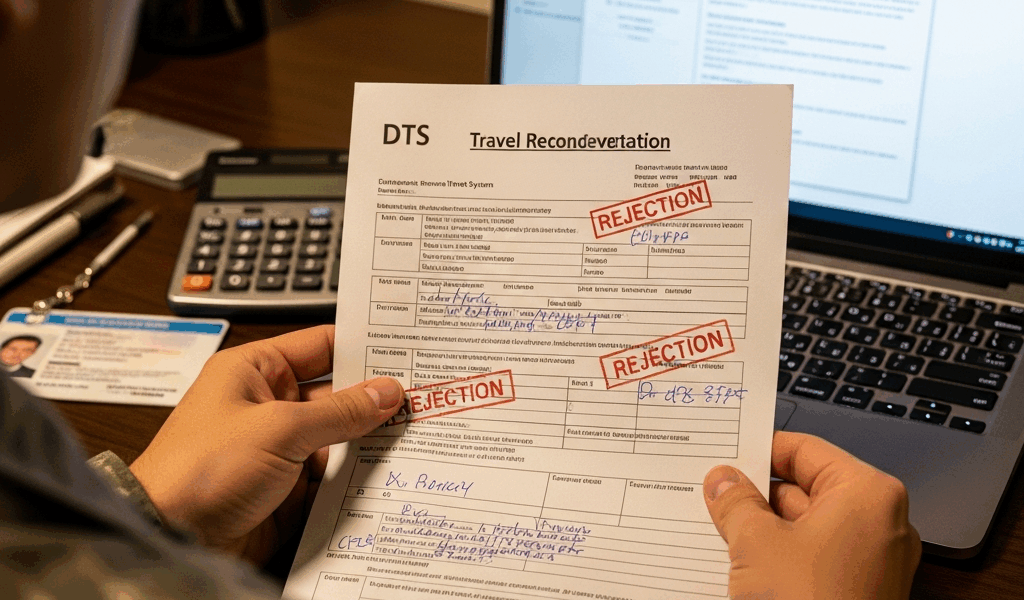
TDY Travel Claim Rejected — How to Fix It Fast
TDY travel reimbursement has gotten complicated with all the bureaucratic noise flying around. As someone who spent two weeks chasing a finance office after my very first rejected voucher, I learned everything there is to know about getting these claims unstuck. Today, I will share it all with you.
Here’s what nobody mentions upfront: most rejections aren’t permanent. They’re fixable — missing receipts, lodging rate overages, per diem math that doesn’t line up, travel dates that clash with your orders. The maddening part isn’t the rejection itself. It’s that DTS just stares back at you with zero guidance on where to click or what to write to make the problem disappear.
So, without further ado, let’s dive in. I’m walking you through the exact rejection codes and finance office responses you’re probably facing — plus the real fixes for each one. Not the vague “contact your authorizing official” runaround. Actual steps.
Why DTS Rejects Travel Claims
But what is a DTS rejection, really? In essence, it’s the system flagging a discrepancy between what you claimed and what your orders or GSA rates authorized. But it’s much more than that — because the fix changes completely depending on which of five core reasons you’re dealing with.
Missing or incomplete receipts. You submitted your voucher and forgot to attach proof for a hotel night or a meal per diem claim above the threshold. DTS flags this as unsubstantiated spending. Finance can’t approve what they can’t verify — full stop.
Lodging rate exceeded without justification. Your hotel ran $180 a night. The GSA rate for that city was $140. DTS sees the $40 overage and stops cold. You’ll need to explain why the difference was necessary and genuinely unavoidable.
Per diem calculation mismatch. You claimed full per diem for your departure day, but you didn’t actually leave until 2200 hours. DTS calculated based on the government quarters you occupied that night. The math doesn’t match your submission — and finance notices.
Travel dates don’t match your orders. Orders say 15–22 March. Your voucher claims per diem from 14–23 March. Finance won’t touch days outside the authorization window. Simple as that.
AO rejection versus finance rejection. Your authorizing official sent it back for a policy violation or missing documentation. Or finance returned it because something doesn’t add up mathematically. Whoever rejected it tells you which category you’re in — and that single detail determines your entire next move.
Some are soft rejections. Fix them in DTS, resubmit, done. Others are hard denials that need your commander or corrected orders. I’ll show you which is which.
Step One — Check the Rejection Notice in DTS
Probably should have opened with this section, honestly.
Log into DTS. Navigate to your vouchers. Find the one flagged “Rejected” or “Returned.” Click in. Now — and this is the part people skip entirely — scroll down and open the comment field. That comment is everything.
The AO or finance office leaves a note explaining exactly why they kicked it back. It might say “Missing hotel receipt for 18 March” or “Lodging overage of $40 requires justification memo.” Read that comment twice. Don’t skim it. I missed a finance note buried in a single paragraph once because I skimmed instead of actually reading. Cost me four extra days. The comment field tells you whether you fix this solo or loop in your chain of command — immediately.
Typical rejection language looks like this:
- “Receipt required for lodging claim 3/15–3/16. Resubmit with documentation.”
- “Lodging rate $165 exceeds GSA rate of $140. Submit justification or reduce claim.”
- “Per diem claimed for 3/14 but orders effective 3/15. Adjust dates to match authorization.”
- “AO approval required for policy exception. Contact [name] before resubmission.”
That last one is a hard rejection. Everything else above it? Fixable in DTS right now.
How to Fix the Most Common Rejection Reasons
Missing Receipts
While you won’t need a notary or anything dramatic, you will need a handful of documents — specifically, proof for any lodging expense or meal per diem claim above $75. DTS won’t move without it.
Find the receipt. Photograph it with your phone if the original walked off somewhere. Convert it to PDF or JPEG. Log back into DTS, open the rejected voucher, hit the “Attachments” field, and upload it directly next to the expense it covers. Name it something useful — “Hotel receipt 18 March” beats “IMG_4927.jpg” every single time. Don’t make my mistake on that one.
Resubmit. The voucher cycles back to your AO for approval.
Lodging Rate Overage
Your hotel cost more than the GSA limit. You need a one-paragraph memo explaining why — at least if you want reimbursement for the full amount.
Standard justifications: no GSA-compliant hotels were available, military lodging was full, or the area had an emergency situation driving rates up. Keep the memo under 150 words. Include the specific dates, the GSA rate, your actual nightly rate, and why you couldn’t book lower. Something like: “No GSA-compliant lodging available in the metro area on 18–19 March. All military lodging was at capacity. Rate overage of $25/night was unavoidable given the command travel directive issued that week.”
Attach the memo under “Supporting Documents” in DTS. Adjust the lodging claim dollar amount to reflect what you’re actually claiming. Resubmit.
Per Diem Calculation Error
A corrected itinerary might be the best option here, as DTS requires exact departure and return times to calculate correctly. That is because the system auto-populates per diem based on your quarters information and travel window — and any discrepancy triggers a flag.
Open the voucher. Click the “Itinerary” tab. Verify every departure and return date and time. Departed at 2200? You shouldn’t be claiming full per diem for that day — partial day rules apply. Update the times to match reality. DTS recalculates automatically. Resubmit.
Travel Dates Outside Authorization
Orders authorized 15–22 March. Voucher claims 14–23 March. Finance won’t reimburse the extra days — period.
This one needs a conversation with your AO or chain. If you genuinely traveled outside the authorized window, you need amended orders before anything else happens. If the dates in your voucher are simply wrong — a data entry issue — correct them in DTS and resubmit. Two very different situations. Know which one you’re actually in before you do anything.
When to Loop In Your Finance Office or Commander
Not every rejection is a solo fix. That’s what makes this process endearing to us service members — there’s always a human somewhere in the chain who can actually resolve it.
Loop in your AO or commander if: The rejection language says “AO approval required” or “policy exception.” Hard rejection. Send them the rejection comment, explain what you need, and ask how they want to proceed. Don’t resubmit without their sign-off — it bounces straight back.
Loop in finance if: You believe the rejection is flat-out wrong. Finance miscalculated per diem, misread your receipt, or applied the wrong GSA rate for your location. Call the finance office directly — I’m apparently someone who does better on the phone than email, and direct calls work for me while email threads never seem to resolve anything quickly. Have your voucher number and the rejection comment ready when you call. Ask them to walk through the calculation. Sometimes they catch their own error on the spot and approve it immediately.
Loop in your commander if: You need amended orders. Dates are wrong, or your authorization was updated after you returned and it shifted your entitlements. S-1 or the admin office corrects the orders. Once amended, attach the new orders to your voucher and resubmit.
The formal dispute and exception-to-policy process exists — but most rejections never get there. A quick email to your AO and a clean resubmission fixes roughly 90 percent of claims.
How to Avoid Rejected Claims on Future TDY
First, you should photograph your hotel receipt the same day you check in — at least if you want to avoid scrambling for documentation three weeks later when memory gets fuzzy. Get a receipt from the front desk, shoot a photo, drop it in a labeled folder on your phone. Done in 90 seconds.
Screenshot your DTS submission confirmation the moment you hit submit. If someone claims you never submitted it, you have timestamped proof sitting on your phone.
Keep a copy of any amended orders. If your command updates your authorization after you return, download the new version and attach it to the voucher before you hit submit. Missing orders are a top-five reason claims get bounced.
Submit within five days of returning. The sooner it’s in, the sooner finance queues it for processing. Waiting three weeks builds in delays you created yourself — and finance will remind you of that, politely or otherwise.
Most rejections are fixable. Act fast, read the comment field carefully, and you’re looking at reimbursement in under two weeks.




Leave a Reply