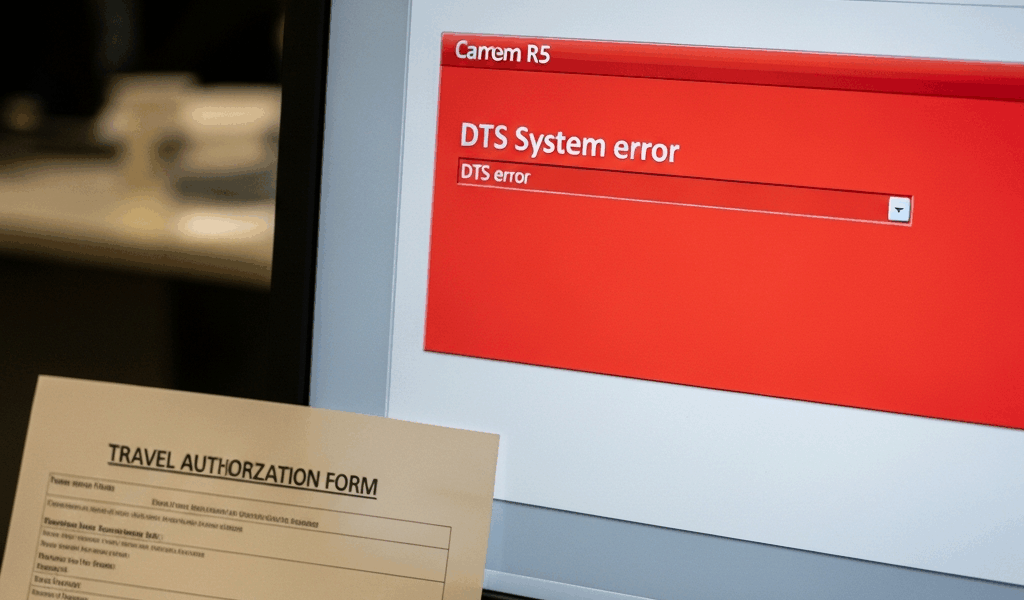
Why DTS Authorization Errors Happen Before Your Orders Route
DTS authorization errors have gotten complicated with all the vague system messages and dead-end error flags flying around. You’ve gotten your orders cut. You’ve built the itinerary, double-checked your dates, and finally hit submit — then nothing. It just sits there in “Pending AO Review” for two, three days. Or it bounces straight back with a red flag that tells you absolutely nothing useful.
Here’s what’s actually moving behind the scenes. Your submission hits your Approving Official first. That clears, it moves to the budget office for a funding line check. Both legs of that chain have to pass. Skip one, the whole thing stalls.
Most hard stops trace back to three culprits: a missing or broken funding line, a mismatch between your traveler profile and what the authorization says, or a Line of Accounting code that’s expired or never existed in the first place. Not bugs. Data problems. Almost every single time.
The maddening part — and I say that from personal experience losing two days before a Fort Campbell trip — is that DTS rarely tells you which field actually caused the rejection. You get a generic message. Meanwhile you’re supposed to leave in 72 hours and you’re clicking through form tabs hunting for a typo.
Check These Fields Before You Resubmit Anything
Stop. Don’t hit resubmit yet. Probably should have opened with this section, honestly, because half of all failed resubmissions fail again for the exact same reason nobody fixed the first time.
Open the authorization. Look at the top of the form. Yellow indicator flags mean the system caught something but might let it through. Red means a hard block — you’re not going anywhere until that field gets corrected.
Now go through these four fields, one at a time:
- Accounting cite (Fund cite): Your organization’s budget line. Does it match what’s printed on your orders? Not approximately. Exactly. If your orders read “1234-5678” and you typed “1234-5677,” that’s a rejection waiting at the budget office. One digit off is still wrong.
- Travel dates: Departure and return in DTS have to mirror your orders exactly. Orders say 15 MAR to 22 MAR — those exact dates go in the system. Not a day earlier. Not a day later. Exact.
- Traveler profile address: Your mailing address in DTS has to match what’s in military records. Updated your address in the personnel system last month? Great. If you never synced it in DTS, the authorization flags a mismatch. Update the profile before you ever hit submit.
- LOA code: Don’t make my mistake. I pulled an LOA code off an old authorization from six months prior — seemed efficient at the time. The code had been deactivated. DTS rejected the entire submission. Your finance section or AO will give you the correct code for your specific travel. Use that. Don’t improvise with old ones.
Yellow flags won’t always stop you cold. Red flags will. If you see red, you cannot proceed — resubmitting without a fix just wastes everyone’s time, including yours.
How to Fix a Funding Line Error in Your Authorization
Funding line errors are the single most common hard stop in the system. That’s where your authorization dies during budget office routing — quietly, with a vague message.
Two paths forward. First: fix it yourself. If your unit gives you access to organization funding lines in DTS — not everyone gets that — open the authorization, delete the bad line, enter the correct accounting code exactly as it appears on your orders. Save it. Then resubmit the whole thing.
Second path, and honestly the one I’d tell most people to take: call your budget officer directly. One sentence. “My authorization is rejecting on the funding line — can you confirm the correct accounting cite for TDY travel from [your unit]?” That’s it. They’ll either give you the code on the spot or push it through manually on their end.
Know the difference between what you’re looking at visually. A soft warning is a yellow triangle somewhere on the form. A hard stop is a red X, or the submit button itself greys out entirely. Those are your signals. If DTS shows red but still technically lets you submit, don’t. Finance will bounce it straight back. Fix the field first — always.
What To Do When Your AO Never Received the Routing
You submitted. Got a confirmation. Waited 48 hours. Your Approving Official says they never saw a thing. Now you’re burning time you don’t have.
Pull up the routing history tab inside your authorization. It shows exactly where the submission went after you clicked the button — or where it didn’t go. If the status reads “Pending AO Review” but your AO’s inbox is empty, the routing failed silently. That happens more than it should in this system.
Retract the authorization. Click “Retract” inside the form — it pulls the submission out of routing and drops it back to draft status. You don’t lose anything. Your itinerary, lodging, ground transportation bookings — all of it stays. You’re just resetting the submission itself.
Before you resubmit, check your AO’s information in your profile. I’m apparently the kind of person who doesn’t notice a stale supervisor listed in the system, and that oversight once routed my authorization to a major I’d worked for two years prior. He never knew. The submission just sat there. Make sure your current AO is listed correctly before you send it again.
When To Escalate and Who To Contact
Some errors won’t move no matter how many times you correct the fields. Corrupted profile data. System-level LOA issues. Travel dates that technically passed because orders came down late. These aren’t field-level fixes — they need someone with deeper access.
Your first call goes to your ODTA — Organization DTS Administrator. They have system-level access your AO doesn’t. They can see backend issues that never surface on your form at all. Give them one clean sentence when you reach out: “My authorization is stuck on [specific error], and I’ve already corrected [specific field] — it’s still rejecting.” That specificity saves a whole round of back-and-forth.
ODTA can’t resolve it within an hour? Call the DTS Help Desk. The number lives on your unit’s DTS training materials — usually posted on the S4 or finance office wall. Tell them exactly what’s happening: “My authorization won’t route due to a funding line error, and finance has confirmed the code is correct.” They have tools on the backend that nobody else does.
Last resort — loop in your finance section directly. They see rejections you never even get notified about. They may already know about a deactivated LOA code or a system outage affecting your unit. They can also manually push the authorization through if everything else checks out.
Document everything as you go. Submission dates, exact error messages, names of every person you contacted. If your voucher gets questioned weeks later during a finance audit, that paper trail shows exactly when you did everything right.




Leave a Reply