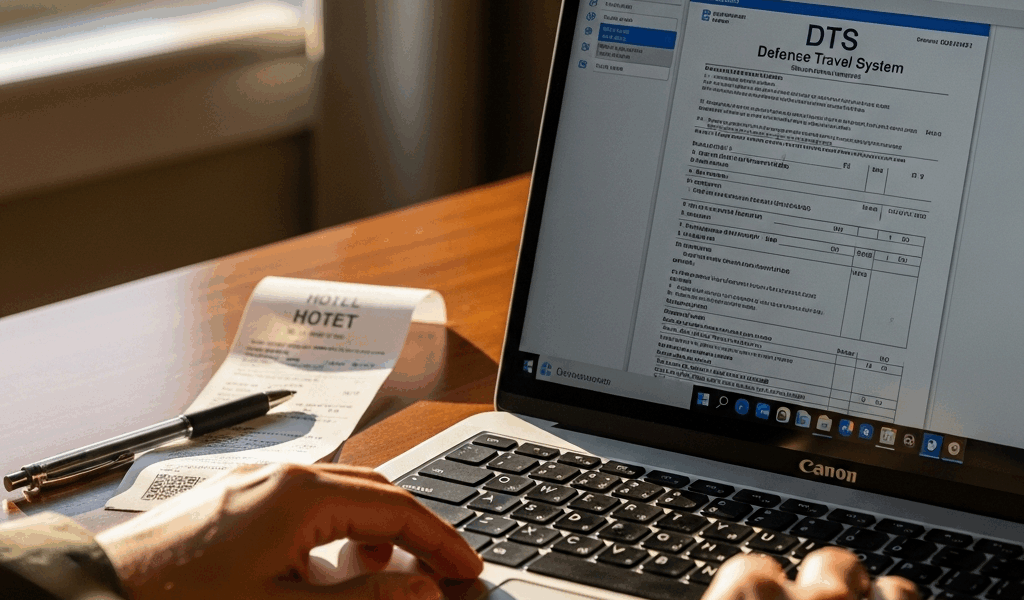
Why DTS Flags Your Hotel as Over Per Diem
Military travel has gotten complicated with all the bureaucratic noise flying around — and nothing stops a trip cold quite like DTS rejecting your hotel the night before you’re supposed to submit everything. You picked the hotel. You clicked submit. Now the system won’t move forward because the nightly rate blows past the GSA per diem for that location. DTS hotel exceeds per diem rate, and suddenly you’re stuck.
Here’s what’s actually happening. The Defense Travel Management System pulls the lodging portion of the GSA per diem for your specific city and travel dates — published quarterly, different for every location — and stacks it against whatever rate your hotel is charging. A mid-range Marriott in Denver during ski season might run $189 a night. The GSA rate for Denver in January? $127. The system sees the gap. Flags it. Rejected.
The triggers I’ve seen most often: seasonal spikes during summer PCS moves, conferences landing in your duty location the exact week you need rooms, remote assignments where the one decent hotel charges whatever it wants. And the brutal part — military travel schedules don’t care about discount seasons.
The system isn’t out to ruin your week. It’s protecting the government’s travel budget. But it also has zero awareness of real-world availability, which is precisely why the exception process exists in the first place.
Check the Actual Per Diem Rate for Your Location First
Probably should have opened with this section, honestly. Before you touch the exception request, verify the correct rate yourself — because DTS sometimes loads the wrong GSA figure entirely due to city or county mapping errors.
Go to gsa.gov/perdiem. Use the lookup tool. Enter your destination city and travel dates. The lodging rate shows up immediately — one number, clearly labeled. Takes about forty-five seconds.
I learned this the hard way with a trip to Fargo, North Dakota. DTS showed the per diem at $89. I pulled the GSA site for Fargo in October and found $127 for lodging. My selected hotel was $145. Suddenly the gap was $18, not $56 — and I had real justification language to work with. DTS had loaded the wrong rate because of a city-county mismatch. That was the whole problem.
Check three things before you do anything else:
- Your destination city name matches exactly what you entered in DTS
- The dates you’re viewing on GSA line up with your actual travel dates
- You’re reading the lodging portion only — not the full per diem figure, which bundles in meals and incidentals
If DTS’s rate doesn’t match what GSA shows, document it immediately. Screenshot both. That discrepancy alone is often enough to get an exception approved — your approving official will see that the system was comparing against bad data from the start.
How to Submit an Exception to Policy in DTS
Navigate to your lodging screen in DTS. You’ll see your selected hotel and the per diem comparison sitting right there. Somewhere on that screen — exact placement shifts depending on which DTS version your installation runs — there’s a button or link that reads something like “Request Exception to Policy” or “Justify Rate Variance.”
Clicking it opens a justification field. This is not the place for “hotel was all that was available.” That phrasing gets rejected routinely. It’s too vague and every approving official has seen it a hundred times.
Your justification needs numbers and specifics. Here’s language that actually works:
“Selected lodging at $[rate] is $[difference] above GSA per diem of $[GSA rate]. Alternative accommodations within reasonable distance ($[lower price]) were checked and found unavailable for travel dates [dates]. Mission requires lodging in [specific area/proximity to base/duty location]. Selected hotel is closest available option meeting operational requirements.”
Notice what’s built into that: exact dollar figures, acknowledgment that you searched alternatives, and a clear mission tie-in. Not “the other hotels were booked” — that’s passive and says nothing useful. Say what you checked, where you looked, and why the location matters operationally.
There’s also a distinction worth understanding — mandatory versus discretionary exceptions. A mandatory exception means no lodging exists within the per diem rate at a reasonable distance. A discretionary exception means lodging technically exists but the mission genuinely requires the higher-cost option: proximity to command, security requirements, something specific. Know which one applies to your situation. The justification language is different for each, and using the wrong framing is an easy way to get denied.
Attach documentation wherever DTS allows it. Screenshots from hotel booking sites showing unavailable cheaper options. A distance map showing why your selected property’s location matters. Visual anchors move approving officials faster than paragraphs of text — I’m apparently a visual learner myself and the screenshot approach works for me while plain text explanations never seem to land the same way. Don’t make my mistake of submitting text-only the first time.
What Your AO Needs to Approve the Exception
Your approving official — usually your commander, finance officer, or designated travel manager — is checking three things when this lands on their screen.
Availability of lower-cost lodging. They need to know you didn’t just grab the comfortable hotel and submit. Show them you actually searched. Hotel booking sites, GSA per diem lodging lists, alternative properties nearby. “Reasonable distance” usually means within 10-15 minutes depending on location type — that’s the informal standard most AOs apply.
Documented rate checks. List the dates you searched, the sites you used, the prices you found. If the hotel itself will provide a non-availability statement — a letter confirming that lower-cost properties had no rooms for your dates — that’s the gold standard. Ask the front desk directly. Many hotels turn these around in under 24 hours. They understand the request and it protects them too.
Mission necessity. “Close to base” is stronger than “near downtown.” “Required for conference attendance at [specific building/installation]” beats “convenient location” every time. Tie it to your actual orders if possible — that’s what makes it real to an AO.
Vague justifications get denied. Your AO has probably approved dozens of these and rejected dozens more. The ones that clear have specific numbers, actual dates, and operational reasoning that traces back to the mission. That’s what makes this process endearing to us military travelers — it rewards the people who do the homework.
If Your Exception Gets Denied — What to Do Next
Rejection happens. Usually the justification was too thin, or the rate variance was large enough that weak mission reasoning didn’t hold up.
First move: call or email your garrison travel office directly. Don’t just resubmit the same request. Ask whether the denial came from the justification wording, the rate variance itself, or missing documentation. They’ll often tell you exactly what to fix — and that saves you a second rejection.
Second move: bring your first-line supervisor or S-1 into it if you believe the denial was wrong. Sometimes additional justification language from someone up the chain carries more weight than anything you submit directly.
Third move: request that non-availability statement from the hotel. Formal document, states that no rooms meeting your criteria were available at lower-cost properties for your specific dates. Hotels generate these routinely for military travelers — it’s not an unusual ask. Submit it with your resubmission.
Last resort: escalate to your installation’s travel management office or finance chief. If the mission genuinely requires that lodging and your documentation is solid, they carry authority to override the standard per diem limit in legitimate cases. But be honest with yourself about whether you’ve actually worked through the alternatives first.
So, without further ado — the fastest path here is always a first exception request built on thorough documentation, real availability research, and justification language tied to the actual mission. Don’t assume DTS is right. Check the GSA rate yourself. Give your AO the specifics they need. Make it easy for them to say yes.


Leave a Reply