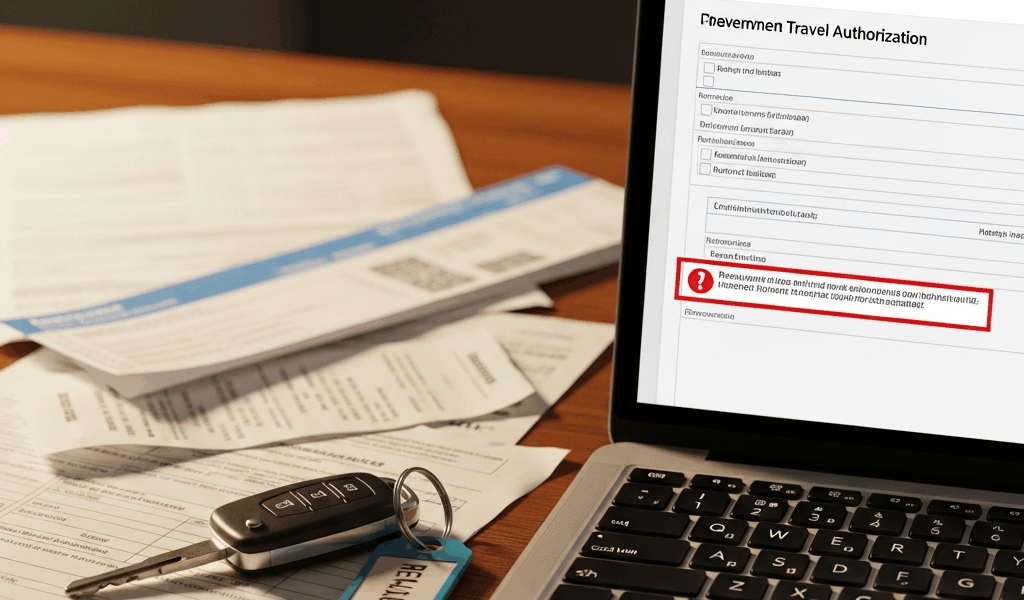
Why DTS Blocks Rental Car Requests
DTS rental car denials have gotten complicated with all the vague error messages and conflicting guidance flying around. You’re already mentally checked into your TDY location — or worse, you’re actually there — and the system just kicked your request back. I’ve watched soldiers burn two, three hours resubmitting the exact same request without ever figuring out what broke in the first place.
Three things cause most of these denials. Missing or weak justification language — AOs need something concrete, not “needed for TDY.” Wrong transportation mode selected during authorization setup, which creates a mismatch the system flags automatically. And authorization details that don’t line up with what the voucher actually shows. That last one catches people constantly.
All three are fixable. Most soldiers don’t fail because DTS is broken. They fail because they rushed the authorization or skipped it entirely.
Step One — Fix the Authorization Before You Travel
Open DTS and go to your authorization module. That’s where almost everyone stumbles first. Find the “Trip Information” section and pull up the “Mode of Transportation” dropdown. Whatever you select here needs to actually match what you’re requesting — for rental cars, you’re looking for “POC” or a ground transportation option that isn’t a government vehicle.
Now find the “Justification/Remarks” field on that same screen. Some installations label it “Special Authorization Justification.” Some versions of DTS call it something else depending on your branch. It exists regardless. Fill it out.
Type your justification into the authorization — not the voucher. Probably should have opened with this warning, honestly. Soldiers assume they can skip this step and add everything later when they submit the actual rental receipt. That’s wrong, and it costs them. By the time you’re submitting a voucher, the AO already approved or denied your authorization based on incomplete information. Adding justification after the fact forces a manual review at best, flat rejection at worst. You’ll get a comment back that says something like “Justification not provided at time of authorization.” Don’t make my mistake.
Save it. Route it for approval. Do not travel until that authorization is explicitly approved.
Step Two — Write Justification Language That Gets Approved
But what is good justification language? In essence, it’s specific, factual, mission-tied phrasing that gives an AO something concrete to approve. But it’s much more than just being detailed — it’s about removing any reason for hesitation.
No shuttle service from the airport to your duty location? Try this: “No GSA-approved ground transportation or government vehicle available from [airport name] to [installation name]. Rental vehicle required to arrive at TDY location on time for [specific mission or report date].”
POV not available or authorized? Use this: “Personal vehicle not available for this TDY. Government vehicle pool unavailable for off-base transportation supporting [specific duty assignment]. Rental vehicle necessary for mission-critical travel between [Location A] and [Location B].”
Multiple stops on one trip? Write it out: “TDY assignment requires travel to three non-contiguous locations — [City 1], [City 2], [City 3] — over [X] days. Government transportation unavailable between sites. Rental vehicle required to meet reporting timelines and accomplish mission requirements.”
What fails? Vague, soft language. “Needed for mission.” “More convenient.” “No other option available.” AOs review hundreds of these. They need dates, base names, specific locations — something that shows you actually thought through the request. One sentence with a real installation name and a report date gets taken seriously. A generic sentence gets questioned or bounced.
Don’t overstate either. “Critical to national defense” when you mean “I’m visiting three contractor sites in Huntsville” triggers skepticism. That skepticism turns into a longer review. Keep it factual and direct.
Step Three — If Your Voucher Gets Kicked Back
Your receipt is already in the system. Your Enterprise rental ran $487 for five days. DTS denies it or cuts the reimbursement down. Now what?
Go back to your submitted voucher and find the “Amendments” button. That opens a separate workflow — it lets you modify the voucher without wiping your original authorization and receipt data. Use the remarks field on the rental car line item specifically. Reference your authorization number. Attach everything you have: the original authorization, proof of government rate booking, any email from your chain of command explaining why the rental was necessary, facility confirmation that no shuttle existed.
I’m apparently someone who learns this the hard way, and going straight to Finance in person works for me while email chains never do. If you’ve amended twice and you’re still hitting a wall, walk into your Finance office. Don’t send another email. Email trails get buried. Showing up gets attention.
Some denials are straight clerical errors — the AO processing the voucher didn’t match it to your authorization correctly. Others are actual policy questions your commander can resolve. A commander’s authority notation can push a routine denial back through the system. Your S1 or HRO knows this process.
Mistakes That Get Rental Cars Denied Every Time
- Booking outside the government rate. You found a Hertz for $38/day. The GSA rate at that location is $52/day. DTS flags the lower rate as non-compliant — yes, even though it’s cheaper. Always book through an FTR-approved vendor at the government rate. The system doesn’t care that you saved money.
- Using a non-FTR approved vendor. That regional rental company might be perfectly legitimate. If it’s not on the Federal Travel Regulation approved list for your area, DTS won’t reimburse it. Check the GSA website for your region before you book anything.
- Returning the car late and exceeding authorized days. Authorization said five days. Weather delay pushed it to six. Receipt shows six. DTS denies day six — it’s outside your authorized travel dates. Request an amended authorization before the original window closes. Not after.
- Missing fuel receipts. Returned the car on empty and didn’t grab a receipt at the pump. If you’re claiming fuel reimbursement separately from the daily rate, DTS requires documentation. No receipt, no reimbursement. That’s the whole policy.
- Mismatched vehicle categories. You authorized a standard sedan. You rented a mid-size SUV. The rate difference gets flagged immediately. Stick to the vehicle class you actually justified in the authorization.
Before you submit anything — authorization or voucher — pull up the JTR section on rental vehicles. Read it once. It takes maybe ten minutes. That single read prevents ninety percent of these denials.




Leave a Reply